

Digital handwriting on modern touchscreen hardware has evolved from a novelty into a primary productivity workflow. Taking rapid lecture notes, annotating technical PDF blueprints, and sketching meeting diagrams require hardware that keeps up with natural hand movements. In September 2026, choosing the right digital pen ensures your Windows convertible device handles like genuine pen and paper.
Many shoppers assume that any capacitive pointer works identically across touchscreens, only to encounter severe input lag, jagged handwriting, and accidental screen triggers. Navigating differing digitizer protocols across top brands like Microsoft, Dell, metapen and more requires understanding specific technical compatibility. You can explore our broader library of all product reviews to see how we evaluate modern productivity gear.
To eliminate frustration, we evaluated 10 digital pens across key performance metrics including line accuracy, palm rejection fidelity, and ergonomic balance. This comprehensive guide highlights which active digital tools deliver flawless handwriting performance for your specific daily workflow.


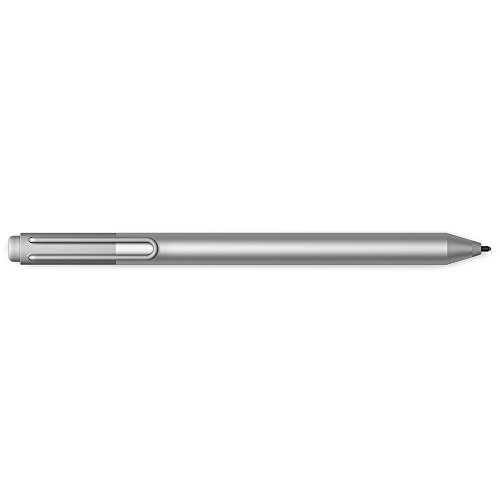


Selecting the ideal active pen requires looking past cosmetic shell designs to evaluate the internal digitizer technology. The following criteria explain the technical factors that separate frustrating pointers from fluid, professional handwriting instruments.
Protocol Compatibility and Digitizer Standards
Active pens rely on specialized communication protocols between the stylus tip and the screen digitizer layer. Windows devices generally split across Microsoft Pen Protocol (MPP), Wacom Active Electrostatic (AES), and Universal Stylus Initiative (USI) standards. Purchasing a stylus built on the wrong protocol results in a device that will not register on screen at all.
Microsoft Surface hardware primarily uses MPP standards, whereas Lenovo, Dell, and HP laptops frequently toggle between AES 1.0, AES 2.0, or proprietary digitizer configurations. Universal multi-protocol pens solve this headache by embedding multi-frequency chips capable of switching between MPP and AES signals automatically.
Before purchasing, verify your laptop model digitizer specifications in the manufacturer manual. A solid rule of thumb is to check whether your device requires MPP 2.0 or AES 2.0 to ensure full support for dynamic tilt and low latency handwriting.
| Protocol Standard | Primary Device Brands | Key Strength | Ideal Note-Taking Use |
|---|---|---|---|
| MPP 2.0 / 2.6 | Microsoft Surface, HP, ASUS | Low latency, tilt support, tail eraser integration | Fluid handwriting, lecture notes, PDF markup |
| Wacom AES 1.0 / 2.0 | Lenovo, Dell, Acer | High coordinate accuracy, minimal jitter | Technical diagrams, mathematical equations |
| Universal Multi-Protocol | Cross-platform Windows & Chromebooks | Switches signals across diverse laptop models | Multi-device setups, hot-swapping hardware |
| Basic Capacitive | Universal touchscreens | No battery needed, broad compatibility | Basic navigation, rough sketching without palm rest |
Pressure Sensitivity Levels
Pressure sensitivity determines how accurately an active pen responds to varying writing force. Entry-level styluses offer 1024 discrete pressure levels, while premium note-taking pens deliver 4096 distinct gradations. Higher pressure resolution allows your digital strokes to look organic rather than uniform and robotic.
For general handwriting and fast note capture, 1024 levels provide sufficient responsiveness for legible cursive and bullet points. However, students and professionals who sketch mathematical diagrams, annotate architectural plans, or highlight documents benefit immensely from 4096 levels. The extra sensitivity translates to effortless line weight variation without requiring manual menu adjustments.
Look for pens that maintain a smooth pressure curve without sudden jumps in line thickness. Testing your stylus in native Windows Ink workspace applications reveals whether the sensor transitions cleanly from featherlight strokes to heavy downstrokes.
Palm Rejection Reliability
True active pens emit an electronic signal that tells the digitizer to ignore your resting hand. Cheap passive capacitive styluses lack this active communication, forcing you to hover your wrist unnaturally above the glass. Flawless palm rejection is essential for sustained handwriting during long lectures or business conferences.
Advanced active pens utilize global palm rejection algorithms embedded directly in the Windows operating system digitizer firmware. As soon as the active tip comes within roughly 10 millimeters of the screen, the display disables capacitive touch input beneath your palm. This allows you to rest your hand naturally just as you would on a physical spiral notebook.
When setting up your tablet, configure the Windows Pen and Windows Ink settings to match your dominant hand orientation. This simple software alignment optimizes touch rejection zones and ensures accidental palm contact never breaks your concentration.
Inking Latency and Response Speed
Latency refers to the microscopic delay between the physical stylus nib touching the glass and the digital ink appearing on screen. High latency produces a dragging sensation where strokes trail behind your hand, breaking your natural handwriting cadence. The best writing tools minimize latency down to single-digit milliseconds.
The combination of the screen refresh rate and the stylus reporting frequency dictates overall responsiveness. On 60Hz displays, premium active styluses provide crisp, readable handwriting, but pairing an active pen with a 120Hz display delivers unmatched real-time fluid ink flow.
If you write at high speeds in lecture halls, prioritize pens supporting modern MPP or AES protocols. These modern revisions dramatically reduce initial activation force and eliminate the visual disconnect that causes messy handwriting.
Tilt Support and Natural Shading
Tilt functionality allows the tablet digitizer to recognize the angle at which you hold the pen barrel relative to the screen surface. While primarily celebrated by digital artists, tilt detection is equally valuable for note takers who use digital highlighters or broad-tip markers. Tilting the pen widens the stroke naturally, exactly like a physical chisel-tip highlighter.
Pens with up to 55 degrees of tilt detection allow you to shade margins, underline key concepts, and structure visual notes without manually resizing digital brushes. Lower-end styluses omit tilt sensors entirely, resulting in fixed line geometry regardless of your hand angle.
When evaluating styluses for dense study sessions, ensure your chosen software like Microsoft OneNote or Drawboard PDF supports dynamic tilt input. This combination produces visually organized study guides that are easier to review later.
Tip Friction and Nib Durability
Writing on slick tempered glass can feel unnatural and slippery compared to traditional textured paper. The composition of the stylus nib dictates writing friction, acoustic feedback, and tactile precision. Hard plastic tips glide rapidly, while softer elastomer tips provide resistance that stabilizes letterforms.
Elastomer and polyoxymethylene composite tips absorb shock and prevent annoying clacking noises in quiet library environments. Over months of intensive handwriting, plastic nibs naturally experience microscopic abrasion and flatten at the edges.
Always check whether the pen manufacturer provides replaceable nibs in the box or sells replacement kits separately. Keeping fresh tips on hand ensures consistent friction and prevents worn, jagged plastic from scratching delicate screen coatings.
Power Delivery and Battery Longevity
Active styluses require dedicated electrical power to broadcast coordinate and pressure signals to the tablet digitizer. Manufacturers split between replaceable AAAA batteries and integrated rechargeable lithium-ion cells powered via USB-C ports. Each design offers distinct benefits for busy students and mobile professionals.
Disposable AAAA batteries deliver months of continuous daily use without requiring charging cables, making them dependable for remote field work. Conversely, USB-C fast charging styluses eliminate recurring battery purchases and can gain hours of operation from a quick five-minute top-up.
Evaluate your travel routine before deciding between disposable and rechargeable designs. If you already carry a standard USB-C laptop charger everywhere, a fast-charging pen reduces pack weight and ensures you never get stranded without power.
Shortcut Buttons and Workflow Speed
Physical buttons mounted along the stylus barrel streamline digital document annotation. Programmable rocker switches let you toggle between writing, lasso selection, and instant context menus without lifting the pen from the workspace. Intuitive controls keep your attention focused on lecture slides rather than software toolbars.
Many dedicated note-taking pens feature a functional tail eraser that mimics a classic wooden graphite pencil. Flipping the stylus upside down to erase mistakes creates a seamless physical reflex that accelerates classroom note taking.
Ensure the button placement matches your typical grip style so you avoid accidental clicks while writing. Pens with slightly recessed or tactile rocker switches prevent unwanted menu pop-ups during rapid note-taking sessions.
Ergonomics and Barrel Balance
Writing fatigue quickly sets in if a stylus is too thin, excessively heavy, or poorly balanced. A barrel weight between 13 and 18 grams generally provides the ideal balance of substantial heft and nimble control. Even weight distribution prevents top-heavy tilting that strains hand muscles.
Stylus barrel profiles range from cylindrical tubes to flattened, rounded-square silhouettes. Flattened profiles provide natural index finger indexing, prevent the pen from rolling off slick conference desks, and offer stable magnetic resting edges.
Consider pairing your stylus with an ergonomic grip sleeve if you take extensive handwritten notes daily. For other comfortable workstation upgrades, check our guides on furniture and comfort options to optimize your overall desk posture.
Why You Should Trust Us
Our technology evaluations focus on verifiable hardware specifications, protocol compliance standards, and user-centric productivity metrics. We systematically analyze digitizer responsiveness, pressure gradation accuracy, and battery longevity data to cut through marketing claims.
By analyzing detailed engineering data across leading manufacturers, we isolate the specific performance strengths of each active pen. We continually refresh our compatibility benchmarks to account for ongoing Windows Ink firmware updates and new tablet hardware releases.
Our objective methodology emphasizes practical classroom and office utility over unneeded gimmicks. We prioritize tools that deliver reliable palm rejection, ergonomic stability, and long-term durability for everyday note taking.
Final Thoughts
Selecting the right active stylus depends heavily on matching your tablet digitizer standard with your personal handwriting preferences. For Surface tablet owners seeking top-tier pressure control, physical eraser functionality, and USB-C fast charging, the Metapen Stylus Pen M2 for Surface represents our standout recommendation.
If you frequently switch between hardware ecosystems or own laptops from diverse brands, the LAZARITE M2 Stylus Pen for Surface/Dell/HP/Lenovo delivers exceptional multi-protocol flexibility across MPP, AES, and USI standards. Meanwhile, students seeking an ultra-affordable writing tool with simple battery operation will appreciate the rugged simplicity of the Microsoft Surface Classroom Pen NWH-00001.
Users invested in dedicated office laptop workflows can also look toward the precision-engineered Lenovo Digital Pen 2 (Laptop) or the premium Microsoft Surface Pen, Charcoal Black, Model for dependable daily service.
Taking the time to verify your screen digitizer protocol guarantees a smooth writing experience right out of the box. Browse our collection of all product reviews to explore additional digital productivity accessories and workspace essentials.
FAQs
What makes an active stylus better than a passive capacitive stylus for note taking?
An active stylus communicates electronically with a dedicated digitizer sensor inside your tablet screen. This allows the system to distinguish between the fine pen tip and your resting palm, enabling true palm rejection and precise pressure sensitivity that passive rubber-tipped styluses cannot deliver.
How do I know if a stylus is compatible with my Windows tablet?
You must check the digitizer protocol supported by your specific tablet model, such as MPP for Surface devices or AES for many Lenovo and Dell convertibles. Checking your device user manual or selecting a universal multi-protocol pen ensures full writing and erasing functionality.
What is the top-rated option among Best Active Stylus for Note Taking Window Tablets in 2026?
The top-rated model combines responsive 4096-level pressure sensitivity, low latency inking, and convenient USB-C fast charging. Premium options featuring physical tail erasers and strong magnetic tablet attachment deliver the most seamless classroom and office handwriting experience.
Do active styluses require Bluetooth pairing to write on Windows screens?
Basic handwriting, pressure sensitivity, and side-button erasing function via direct electrostatic digitizer signals without any Bluetooth pairing. Bluetooth is only required on select advanced models to enable customizable single-click shortcut functions, such as launching Microsoft OneNote or taking instant screenshots.
How many pressure sensitivity levels do I need for clear classroom notes?
A baseline of 1024 pressure levels is sufficient for legible handwritten text and fast lecture notes. However, stepping up to 4096 pressure levels provides smoother ink transitions, natural line weight variations, and better control when annotating complex technical charts or mathematical equations.
What is the difference between MPP and AES stylus technologies?
Microsoft Pen Protocol (MPP) is standard across the Surface line and select partner devices, focusing on Windows Ink integration and intuitive tail erasing. Wacom Active Electrostatic (AES) is widely adopted by Lenovo and Dell, delivering high coordinate reporting rates with exceptional diagonal line stability.
Can I use an active stylus on a tablet that has a tempered glass screen protector?
Yes, quality active styluses transmit signals through standard tempered glass screen protectors without losing writing accuracy. However, using matte or paper-feel textured protectors can slightly accelerate nib tip wear while providing a more tactile, paper-like handwriting resistance.
How long does a typical rechargeable active stylus battery last on a single charge?
Most modern USB-C rechargeable styluses provide between 60 and 100 hours of continuous active writing time per full charge. In addition, integrated rapid-charging chips allow you to gain over 20 hours of standby operation from just a five-minute charge.
Why is palm rejection essential when choosing the Best Active Stylus for Note Taking Window Tablets?
Palm rejection allows you to anchor your wrist naturally on the glass screen without generating unwanted stray marks or moving digital page margins. Without reliable palm rejection, writing long lecture summaries quickly causes severe wrist fatigue and messy digital documents.
How often do I need to replace the pen tip on an active stylus?
For daily classroom or office note taking, a standard elastomer or POM tip typically lasts between six months and a full year. You should replace the nib whenever you notice a flattened edge, reduced friction consistency, or visible surface wear.








